- 홈페이지 /
- 비디오 게임 /
- Video Game Accessories /
- All Video Game Controllers /
- Mayflash Wireless Wii U Pro Controller to PC USB Adapte...
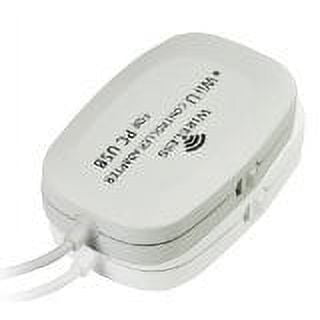
Mayflash Wireless Wii U Pro Controller to PC USB Adapter
KRW 69607
Price Details
Excluding Shipping & Custom charges ( Shipping and custom charges will be calculated on checkout )
*All items will import from 미국
QTY:
Ubuy works hard to protect your security and privacy. Our advanced payment security system ensures confidentiality by encrypting your information during transmission using AES (Advanced Encryption Standards) and SSL (Secure Socket Layer) protocols. Your payment details are 100% secure as we do not share your payment details with third party sellers.
Compatible with Windows 98, XP, Vista, Windows 7, and Windows 8 (32 bit and 64 bit versions). All buttons, shoulder triggers, analog sticks, and clicking tops are fully functional.
Fast
Shipping
Free
Return*
Secure Packaging
100% Original Products
PCI DSS Compliance
ISO 27001 Certified

What Stands Out
제품 세부 정보
- Functioning distance of up to 33 feet away from adapter. Input switch with 2 input protocol modes for extra versatility. Direct input (standard hid protocol) supports 4 controllers at the same time. Xinput (xbox 360 controller protocol) supports one controller per individual adapter. All buttons (except for power button), shoulder triggers, analog sticks and their clicking tops are fully functional. Compatible with Windows 98,xp,Vista and Windows 7 and Windows 8(32 bit and 64 bit versions). Operation notes - how to set the turbo function? To set turbo for individual buttons, press and hold the home button and the button you wish to set turbo for. To remove the setting for that specific button, press and hold the home button and the button you previously set turbo for. To clear all turbo settings for all buttons, quickly press the home button twice within half of a second. If the input switch is set to the direct input mode, the controllers are recognized as standard human interface device. Your controllers can be calibrated at the windows gamepad setup screen. Up to four controllers can be recognized by a single adapter while in this mode. Setting the switch to xinput mode will make it possible to fool certain pc games which lock out proper input modes from the user unless an xbox controller is attached (for a list of these games, check Wikipedia). While in xinput mode vibration feedback is available. The drawback is that while in this mode, only one controller can be recognized by the adapter. If you want to map your buttons to keyboard keys, look for joy2key software online.
| Brand | Mayflash |
| Video game platform | PC |
| Wireless | Bluetooth |
| Power type | Corded Electric |
| Color | White |
| Connection | USB |
| Compatible models | Wii U |
| Compatible OS | Windows 98,xp,Vista and Windows 7 and Windows 8(32 bit and 64 bit versions) |
| Compatibility | Wii U |
| Video game controller type | Pads |
| Number of controllers | 1 |
| Has written warranty | No |
| Assembled product dimensions (l x w x h) | 6.77 x 2.00 x 0.70 in (17.2 x 5.1 x 1.8 cm) |
| Dexterity | Ambidextrous |
| Multipack quantity | 1 |
Who Should Buy?
-
Console Gamers
Gamers who prefer using Wii U Pro controllers for PC gaming will benefit from this wireless adapter's functionality.
-
Cost-Conscious Users
Budget gamers who want an affordable solution to use Wii U controllers on PC will find this adapter valuable.
-
Retro Game Enthusiasts
Users looking to play retro games on PC with Wii U Pro controllers will enjoy the enhanced experience this adapter provides.
-
Non-Wii Controllers
Gamers who do not own Wii U Pro controllers will not benefit from this product's specific functionality.
-
Tech-Savvy Users
Experienced gamers seeking advanced features or customization may find this basic adapter lacking in sophistication.
-
Frequent Travelers
Users needing a portable solution may find this adapter cumbersome and less convenient for on-the-go gaming.
제품 설명
About This Item
Experience seamless gaming with the Mayflash Wireless Wii U Pro Controller to PC USB Adapter. This adapter is designed to connect your Wii U Pro Controller to your PC, allowing you to enjoy your favorite games without any hassle. The Mayflash Wireless Adapter offers a convenient and wireless way to connect your controller to your PC. No more tangled wires or restrictions in movement.
Simply plug in the adapter and start playing. It's perfect for gamers who prefer the freedom of wireless gaming. The Mayflash Pro Controller Adapter is designed with compatibility in mind. It supports a wide range of Windows operating systems, making it compatible with most PCs.
Whether you're using Windows 7, 8, or 10, this adapter has got you covered. Not only does the Mayflash Wii U Pro Controller Adapter offer wireless connectivity, but it also features a compact and lightweight design. It's small enough to take with you on your gaming adventures, ensuring that you never have to be without your controller. With the Mayflash Wireless Adapter, you can expect seamless gameplay and precise control. Experience every jump, punch, and kick with precision, thanks to the reliable connection provided by this adapter. Purchase the Mayflash Wireless Adapter today and take your gaming experience to the next level.
Enjoy the convenience of wireless connectivity, compatibility with various operating systems, and the freedom to game wherever you go. Don't miss out on this must-have accessory for any dedicated gamer. Key Features: - Wireless connectivity for seamless gaming - Compatible with a wide range of Windows operating systems - Compact and lightweight design for portability - Provides precise control for an exceptional gaming experience Specifications: - Wireless Adapter Dimensions: [insert dimensions] - Compatible Operating Systems: Windows 7, 8, 10 - Weight: [insert weight] - Connectivity: USB Package Includes: - 1 x Mayflash Wireless Wii U Pro Controller to PC USB Adapter - 1 x User Manual Take your gaming to new heights with the Mayflash Wireless Wii U Pro Controller to PC USB Adapter. Order now and enjoy the freedom of wireless gaming.
고객 질문 및 답변
-
의문: Ubuy에서 온라인으로 Mayflash Wireless Wii U Pro Controller to PC USB 쇼핑하는 방법?
답변: Ubuy에서 온라인으로 Mayflash Wireless Wii U Pro Controller to PC USB을(를) 쉽게 쇼핑할 수 있습니다.. 제품을 검색하고 체크아웃하는 동안 배송 방법을 선택하고 해당 위치로 배송받기만 하면 됩니다. -
의문: Mayflash Wireless Wii U Pro Controller to PC USB는 South Korea에서 온라인 쇼핑이 가능합니까?
답변: 예, Ubuy South Korea에서 이 제품을 합리적인 가격에 구매할 수 있습니다.. Mayflash Wireless Wii U Pro Controller to PC USB은(는) 현지에서 구할 수 없지만 특급 배송 서비스로 저희를 신뢰할 수 있습니다. -
의문: 주문 후 제품을 받는 데 얼마나 걸립니까?
답변: 주문한 제품의 배송 시간은 주문한 항목과 선택한 배송 방법에 따라 다릅니다.. 예상 배송 시간은 결제 과정에서 언급되므로 안심하고 쇼핑하십시오.
Mayflash All Video Game Controllers Editorial Review
Customer Reviews & Ratings
-
5 점
100%
-
4 점
0%
-
3 점
0%
-
2 점
0%
-
1 점
0%
이 제품 리뷰하기
다른 고객들과 의견을 공유하세요.
Product Price History
중요 정보
- 제한 사항: 국제 배송되는 제품의 경우 제조업체 보증이 유효하지 않을 수 있으며, 제조업체 서비스 옵션을 사용하지 못하거나 제품 설명서, 지침 및 안전 경고가 대상 국가 언어로 표시되지 않을 수 있으며, 제품(및 첨부 자료)은 도착 국가 표준, 사양 및 라벨링 요구 사항에 따라 설계되지 않을 수 있으며, 제품은 목적지 국가 전압 및 기타 전기 표준을 준수하지 않을 수 있습니다(가능한 경우 어댑터 또는 변환기 사용 필요). 수령인은 제품을 도착 국가로 합법적으로 수입할 수 있는지 확인할 책임이 있습니다. Ubuy 또는 그 제휴사에서 주문할 때, 수령인은 기록 수입자로서 도착 국가의 모든 법률과 규정을 준수해야 합니다.
- Ubuy는 글로벌 검색 엔진이므로 Ubuy에 나열된 모든 제품이 판매용은 아닙니다. 제품은 수출/무역 규정을 따릅니다.
KRW 69607
지금 주문하시면 도착 예정일 목요일, 7월 16
This item is not restrict in my country.(Please click on above link if this item is not restrict in your country, So our team will review and allow.)
QTY:
Ubuy works hard to protect your security and privacy. Our advanced payment security system ensures confidentiality by encrypting your information during transmission using AES (Advanced Encryption Standards) and SSL (Secure Socket Layer) protocols. Your payment details are 100% secure as we do not share your payment details with third party sellers.
특징 및 장점
- Operating distance of up to 33 feet from the adapter.
- Supports up to 4 controllers simultaneously in direct input mode.
- Xinput mode enables vibration feedback but allows only one controller per adapter.
- Turbo function customization available for individual buttons.
- Can be calibrated in Windows gamepad setup screen.
- Allows mapping buttons to keyboard keys with joy2key software.



















