- 홈페이지 /
- 서적 /
- 컴퓨터 및 기술 /
- Software /
- Microsoft /
- Microsoft Excel /
- Microsoft Excel Step by Step (Office 2021 and...
0 ratings


제품번호 #:
67834223
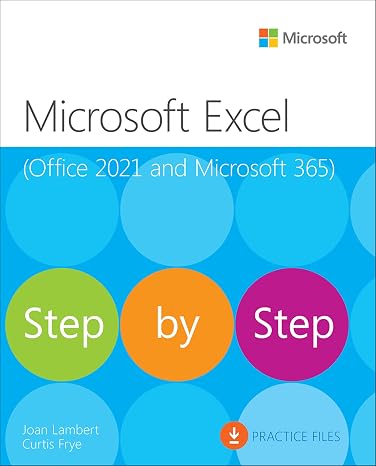
Microsoft Excel Step by Step (Office 2021 and Microsoft 365)
85% of respondents would recommend this to a friend
제품번호 #:
67834223
KRW 64929
Price Details
Excluding Shipping & Custom charges ( Shipping and custom charges will be calculated on checkout )
*All items will import from 미국
0 ratings
리뷰 작성
재고
 USA 스토어에서 가져옴
QTY:
지금 주문하시면 도착 예정일 토요일, 9월 26
Secured transaction
Ubuy works hard to protect your security and privacy. Our advanced payment security system ensures confidentiality by encrypting your information during transmission using AES (Advanced Encryption Standards) and SSL (Secure Socket Layer) protocols. Your payment details are 100% secure as we do not share your payment details with third party sellers.
Our Top Logistics Partners


Get more done, more quickly, with Microsoft Excel.

Fast
Shipping

Free
Return*

Secure Packaging

100% Original Products

PCI DSS Compliance

ISO 27001 Certified



















Note: Step Down Voltage Transformer required for using electronics products of 미국 store (110-120). Recommended power converters 지금 구매.


What Stands Out
Comprehensive Guide
This manual covers all essential Excel functions, making it perfect for beginners and intermediate users aiming to enhance their spreadsheet skills effectively.
Updated Content
Tailored for Office 2021 and Microsoft 365, ensuring users learn the latest features and functionalities that set these versions apart from previous releases.
Step-by-Step Approach
With a clear, structured format, users can easily follow along and gain hands-on experience, fostering confidence in using Excel for personal or professional projects.
제품 세부 정보
- Learn Microsoft Excel quickly and easily with detailed screenshots and brisk lessons
- Set up workbooks, enter and format data, perform calculations, and manage and filter data effectively
- Identify trends, illustrate processes and relationships, and analyze data dynamically
- Build sophisticated forecasts, KPIs, timelines, and visualize data with customized charts and 3D maps
- Import, process, summarize, and analyze large data sets using PowerPivot and Power Query
- Utilize powerful Excel Data Models for advanced business intelligence
| Publisher | Microsoft Press |
| Publication date | December 16, 2021 |
| Edition | 1st |
| Language | English |
| Print length | 480 pages |
| ISBN-10 | 0137564279 |
| ISBN-13 | 978-0137564279 |
| Item Weight | 2.31 pounds (1.05 kg) |
| Dimensions | 7.38 x 0.98 x 9.13 inches (18.7 x 2.5 x 23.2 cm) |
| Part of series | Step by Step |
Who Should Buy?

-
New Users
Ideal for beginners wanting to learn Excel basics and familiarize themselves with Office 2021 or Microsoft 365 features.
-
Self-Paced Learners
Perfect for individuals seeking a structured, self-guided approach to mastering Excel using hands-on exercises and activities.
-
Professionals
Beneficial for professionals needing to improve their data management and analysis skills in a workplace context.

-
Advanced Users
Experienced Excel users may find the content too basic and lacking in advanced techniques or topics.
제품 설명
Microsoft Excel Step by Step (Office 2021 and Microsoft 365)
질문이 있으십니까? 채팅하기
고객 질문 및 답변
-
의문:
What are the key features of Microsoft Excel Step by Step Office 2021 and Microsoft 365 1st Edition?
답변: Microsoft Excel Step by Step Office 2021 and Microsoft 365 1st Edition includes a comprehensive tutorial system that breaks down complex Excel functionalities into manageable lessons. This edition emphasizes practical applications, allowing users to learn essential features such as formulas, data analysis, and chart creation. By following step-by-step instructions, users can enhance their Excel skills, from basic to advanced levels, making it ideal for professionals, students, or anyone wanting to improve their productivity with spreadsheets. -
의문:
Is Microsoft Excel compatible with previous versions of Excel?
답변: Yes, Microsoft Excel Step by Step Office 2021 and Microsoft 365 is designed to be compatible with previous versions of Excel. Users can open, edit, and save files created in earlier versions without losing functionality. This seamless compatibility allows for a smooth transition for users upgrading from older versions while maintaining access to legacy documents, ensuring that businesses can operate efficiently without issues related to file formats. -
의문:
Can I learn Excel using this book without prior experience?
답변: Absolutely! Microsoft Excel Step by Step Office 2021 and Microsoft 365 is tailored for both beginners and experienced users. The instructional format begins with the basics, making it user-friendly for those with no prior Excel knowledge. Each chapter progressively builds upon skills learned earlier, ensuring that new users can follow along and gain confidence in using Excel for tasks like budgeting, data analysis, or project management. -
의문:
What types of examples are included in the book?
답변: The book features a variety of real-world examples and practical exercises that mirror common business scenarios, such as financial tracking, inventory management, and data visualization. This hands-on approach allows users to apply what they learn to their own work, ensuring a relatable and engaging learning experience. By using these examples, users can challenge themselves and develop skills relevant to their specific fields or interests. -
의문:
How does this edition compare to previous editions?
답변: This 1st Edition of Microsoft Excel Step by Step for Office 2021 and Microsoft 365 includes updated content that reflects the latest features and enhancements in Excel, such as dynamic arrays and improved data types. Compared to previous editions, it also offers a more interactive learning experience with new exercises that engage users actively in the learning process. Readers will find the included tips for integrating with Microsoft 365 particularly relevant for those looking to leverage cloud capabilities for collaboration and data access. -
의문:
Can this book help me prepare for Excel certification?
답변: Yes, Microsoft Excel Step by Step Office 2021 and Microsoft 365 can be an excellent resource for those preparing for Excel certification exams. The in-depth tutorials cover critical topics and skills tested in certification, ensuring users are well-prepared. Each chapter’s focus on practical applications means users not only learn theoretical knowledge but can also demonstrate proficiency through hands-on practice, which is essential for certification success. -
의문:
What is the target audience for this Excel guide?
답변: The target audience for Microsoft Excel Step by Step Office 2021 and Microsoft 365 includes a wide range of individuals: students seeking academic proficiency, professionals looking to enhance their job performance, and anyone interested in mastering Excel for personal projects. Its user-friendly design makes it suitable for all ages, whether they are beginners or looking to brush up on advanced techniques, fostering a positive and productive learning environment. -
의문:
Are there digital resources or supplementary materials with this book?
답변: Yes, many editions come with access to digital resources such as practice files, interactive quizzes, and instructional videos that complement the learning experience. These supplementary materials provide users with the opportunity to practice what they have learned in the book in a real-time environment. By engaging with these resources, users can reinforce concepts, making it easier to transition to actual Excel tasks in their work or studies. -
의문:
What specific skills can I expect to improve after using this guide?
답변: After using Microsoft Excel Step by Step Office 2021 and Microsoft 365, users can expect to improve their proficiency in data handling, including organizing, analyzing, and visualizing information. Skills in formula creation, data management, and chart design will significantly enhance, enabling users to make informed decisions based on their data. Mastery of these skills can empower individuals to take on more complex projects, increase workplace productivity, and enhance their analytical capabilities. -
의문:
Where can I buy Microsoft Excel Step by Step Office 2021 and Microsoft 365 1st Edition in South Korea?
답변: You can purchase Microsoft Excel Step by Step Office 2021 and Microsoft 365 1st Edition from Ubuy, a reliable e-commerce platform that offers this book along with various other software and learning resources. Ubuy provides a straightforward purchasing process that makes accessing this resource convenient within South Korea.
Microsoft Excel Editorial Review
The Microsoft Excel Step by Step Office 2021 and Microsoft 365 1st Edition is a comprehensive guide for anyone looking to master Excel. The book provides clear instructions, helpful screenshots, and practical examples to help users navigate Excel's features and functions. The step-by-step approach makes it easy for beginners to follow along and learn at their own pace. Advanced users will also find value in the book, as it covers more complex topics such as data analysis, macros, and pivot tables. Overall, this Excel guide is highly recommended for both beginners and experienced users.
Customer Reviews & Ratings
1 고객 평가
-
5 점
100%
-
4 점
0%
-
3 점
0%
-
2 점
0%
-
1 점
0%
이 제품 리뷰하기
다른 고객들과 의견을 공유하세요.
장점
- Comprehensive guide for mastering Excel's features and functions
- Clear instructions and helpful screenshots
- Practical examples for easy learning
- Suitable for both beginners and advanced users
Platform Trust & Buyer Confidence

JK
Jasmin
Verified buyer
“Great products and very good service: very easy and very fast international delivery.”
9 September 2026 · via Trustpilot
AG
Anke
Verified buyer
“Wonderful online shopping experience, smooth transaction from the start. Payment method works conveniently and delivery is unexpectedly fast and reliable. You go the extra mile for service. What makes this even more amazing, you deliver to Namibia. I will remain a happy Ubuy customer and will increase my purchases for sure! Thank you!”
10 September 2026 · via Trustpilot
H
Hazel
Verified buyer
“Very easy to find the products what you need, and so fast delivery, that’s why I highly recommended to others costumers to used ubuy.”
10 September 2026 · via Trustpilot
O
Opaleye
Verified buyer
“I received exactly what I ordered I was skeptical about your site because that was my first time to order. But the order came timely and neatly packaged. I was not disappointed. Thank you.”
11 September 2026 · via Trustpilot
AC
Adele
Verified buyer
“Easy to find and order what you want on the website. Delivery is quick to the UK”
8 September 2026 · via Trustpilot
보안 결제
Global Delivery
Easy Returns
Genuine Products
Product Price History
중요 정보
- 제한 사항: 국제 배송되는 제품의 경우 제조업체 보증이 유효하지 않을 수 있으며, 제조업체 서비스 옵션을 사용하지 못하거나 제품 설명서, 지침 및 안전 경고가 대상 국가 언어로 표시되지 않을 수 있으며, 제품(및 첨부 자료)은 도착 국가 표준, 사양 및 라벨링 요구 사항에 따라 설계되지 않을 수 있으며, 제품은 목적지 국가 전압 및 기타 전기 표준을 준수하지 않을 수 있습니다(가능한 경우 어댑터 또는 변환기 사용 필요). 수령인은 제품을 도착 국가로 합법적으로 수입할 수 있는지 확인할 책임이 있습니다. Ubuy 또는 그 제휴사에서 주문할 때, 수령인은 기록 수입자로서 도착 국가의 모든 법률과 규정을 준수해야 합니다.
- Ubuy는 글로벌 검색 엔진이므로 Ubuy에 나열된 모든 제품이 판매용은 아닙니다. 제품은 수출/무역 규정을 따릅니다.
KRW 64929
지금 주문하시면 도착 예정일 토요일, 9월 26
This item is not restrict in my country.(Please click on above link if this item is not restrict in your country, So our team will review and allow.)
QTY:
Secured transaction
PCI DSS compliant and ISO 27001:2022 certified, with encrypted payments and full buyer protection on every order.
Our Top Logistics Partners
Fastest cross-border delivery
특징 및 장점
- Learn Microsoft Excel quickly and easily
- Step-by-step instructions and detailed screenshots
- Format data for visual impact
- Perform calculations and correct errors
- Manage, filter, summarize, validate, reorder, and combine data
- Visualize data with customized charts and powerful tools
Ubuy Assurance
Experience worry-free shopping with 100% original products, PCI DSS-compliant payment security, ISO 27001-certified data protection, the fastest cross-border delivery, free returns *, and secure packaging on every order.