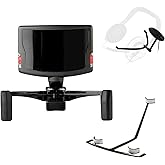
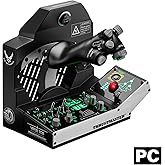
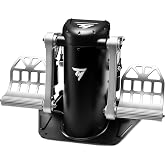
Thrustmaster MFD Cougar Pack (Compatible with PC)
Take control with real flight instruments for even greater realism!
Thrustmaster MFD Cougar Pack (Compatible with PC)
제품번호 #: 156564

Thrustmaster MFD Cougar Pack (Compatible with PC)

제품번호 #: 156564

KRW 199371

Price Details

Excluding Shipping & Custom charges ( Shipping and custom charges will be calculated on checkout )

*All items will import from 미국

0 ratings 리뷰 작성
재고
미국 USA 스토어에서 가져옴
지금 주문하시면 도착 예정일 Monday, 7월 06
Our Top Logistics Partners
  • fedex
  • dhl
Take control with real flight instruments for even greater realism!
U-Care 보증:
없음
요금제 선택
fast shipping

Fast
Shipping

free return

Free
Return*

secure packaging

Secure Packaging

100% original products

100% Original Products

pci-dss

PCI DSS Compliance

iso certified

ISO 27001 Certified


paypal payment
visa payment
mastercard payment
bank transfer payment
l. pay payment
culture voucher payment
cashbee payment
toss pay payment
kakao pay payment
lg pay payment
samsung pay payment
credit cards korea payment
happy money payment
teencash payment
t-money payment
book gift voucher payment
egg money payment
mobiamo payment
payco payment
Note: Step Down Voltage Transformer required for using electronics products of 미국 store (110-120). Recommended power converters 지금 구매.

What Stands Out

High Compatibility
The Thrustmaster MFD Cougar Pack is fully compatible with PC, making it ideal for flight simulation enthusiasts who seek an immersive experience across various games.
Realistic Design
Designed to replicate the controls of actual military aircraft, this pack enhances realism, allowing users to experience advanced aircraft functionalities in their flight simulations.
Customizable Controls
Offer extensive customization options for buttons and switches, ensuring users can tailor their setup for precise control and responsiveness, elevating their gaming experience.

제품 세부 정보

Shop Thrustmaster MFD Cougar Pack (Compatible with PC) online at a best price in South Korea. B002HH9TRY
  • 48 programmable controls in total with 20 buttons + 4 switches per MFD
  • Backlighting for buttons with adjustable intensity and 2 programmable LEDs per MFD
  • Multi-position, weighted, non-slip, and detachable base for stability
  • Compatible with all flight simulation games supporting multi-USB
  • Comes with CD including Plug & Play presets for Microsoft Flight Simulator X and Microsoft Flight Simulator 2004
  • Designed by Thrustmaster, a reputable manufacturer of interactive entertainment hardware and accessories
Package Weight2.6000 Pound

Who Should Buy?

Suitable For
  • Flight Simulation Enthusiasts

    Ideal for users who enjoy realistic flight simulations and need precise controls for an immersive experience.

  • Competitive Gamers

    Great for users participating in competitive gaming requiring high-performance controls to enhance gameplay efficiency.

  • Virtual Pilots

    Perfect for virtual pilots who desire additional controls to manage aircraft systems, improving overall flight management.

Not Suitable For
  • Casual Gamers

    Not suitable for casual gamers who prefer standard game controllers for simpler and less demanding gaming experiences.

  • Limited Space Users

    Users with limited desk space may find the size and setup of the MFD Cougar Pack cumbersome and unsuitable.

  • Console Players

    Not recommended for console players, as this product is specifically designed for PC and lacks console compatibility.

제품 설명

Thrustmaster MFD Cougar Pack (Compatible with PC)

질문이 있으십니까? 채팅하기

고객 질문 및 답변

  • 의문: What is the Thrustmaster MFD Cougar Pack?

    답변: The Thrustmaster MFD Cougar Pack is a multi-functional display designed for flight simulation enthusiasts. This pack includes two MFD panels that provide immersive, interactive controls for various flight simulation software. The MFDs feature customizable buttons and backlit displays for easy visibility, allowing players to connect and control various aircraft functions seamlessly. This is especially beneficial for serious flight sim users looking to enhance their cockpit experience by providing real-time data and controls directly at their fingertips.
  • 의문: Is the Thrustmaster MFD Cougar Pack compatible with all flight simulation software?

    답변: Yes, the Thrustmaster MFD Cougar Pack is widely compatible with numerous flight simulation software including Microsoft Flight Simulator, X-Plane, and DCS World. Its versatility allows users to not only tailor their settings but also enjoy a rich simulation experience. Depending on the software being used, users may need to download additional configurations to maximize functionality, which can enhance the overall realism and customization of their flight sessions.
  • 의문: How do I set up the Thrustmaster MFD Cougar Pack on my PC?

    답변: Setting up the Thrustmaster MFD Cougar Pack requires connecting it to your PC via USB. After the connection, install the necessary drivers available from Thrustmaster’s official website. Once installed, you can configure the MFDs using the included software, allowing you to assign various commands and settings specific to the flight simulation software you are using. This setup process ensures you have the most optimized environment for immersive flight experiences.
  • 의문: What features does the Thrustmaster MFD Cougar Pack offer?

    답변: The Thrustmaster MFD Cougar Pack boasts several outstanding features including dual multi-functional displays, customizable buttons, and adjustable backlighting. Each panel has a crisp display that can show different data depending on your flight scenario, providing pilots with vital information and controls. This feature is particularly beneficial during complex missions where quick access to multiple controls is essential for maintaining situational awareness.
  • 의문: What kind of user experience can I expect from the Thrustmaster MFD Cougar Pack?

    답변: Users can expect an enhanced and realistic experience when using the Thrustmaster MFD Cougar Pack. The physical controls mimic real-life aircraft systems, making it an excellent tool for training and practice. Gamers report that using the MFD Cougar Pack significantly improves immersion, allowing them to focus on the simulation rather than navigating menus. This user-friendly aspect makes it a valuable addition for both casual and serious flight simulation enthusiasts.
  • 의문: Can I customize the buttons on the Thrustmaster MFD Cougar Pack?

    답변: Absolutely, the Thrustmaster MFD Cougar Pack allows for extensive customization of its buttons. Users can assign different functions or commands to any button based on their preferences and the requirements of the flight simulation software they are using. This flexibility means you can arrange the controls in a way that suits your flying style, providing a personalized touch to your cockpit setup.
  • 의문: What is the build quality of the Thrustmaster MFD Cougar Pack?

    답변: The Thrustmaster MFD Cougar Pack is built with high-quality materials, offering durability and reliability for long-term use. The panels feature robust designs that can withstand intense usage during simulation sessions. Users appreciate the realistic feel and texture of the buttons, which enhances the overall flight simulation experience. This solid construction makes it a dependable choice for both casual gamers and professional pilots.
  • 의문: What types of aircraft can I control with the Thrustmaster MFD Cougar Pack?

    답변: The Thrustmaster MFD Cougar Pack can be used to control a variety of aircraft types within flight simulation programs. Whether you are flying commercial jets, military aircraft, or general aviation planes, this pack provides the necessary interface for managing systems such as navigation, autopilot, and other critical controls. This versatility ensures that users can switch between different aircraft without compromising their control experience.
  • 의문: Is technical support available for the Thrustmaster MFD Cougar Pack?

    답변: Yes, Thrustmaster offers technical support for their MFD Cougar Pack through their official website. Users can find FAQs, troubleshooting tips, and user guides to assist with setup and usage. Additionally, customer support representatives are available to help resolve more complex issues, ensuring that users can get the most out of their flight simulation experience. This level of support reflects the company's commitment to user satisfaction.
  • 의문: Where can I buy the Thrustmaster MFD Cougar Pack compatible with PC in South Korea?

    답변: You can buy the Thrustmaster MFD Cougar Pack from Ubuy in South Korea. Ubuy provides a wide range of Thrustmaster products, ensuring you find what you need for your flight simulation setup easily. With their dedicated service, Ubuy makes purchasing simple and straightforward, allowing you to get your hands on this high-quality flight control equipment without hassle.

Thrustmaster Flight Controls Editorial Review

The Thrustmaster MFD Cougar Pack is a PC interface that comes with no screens, USB controls, and 20 buttons on each of the two panels with eight rockers. The MFD Cougar Pack is a plug and play device, and no software download is required aside from game software. Users who ordered MFD and software got 20 buttons mapped to things that are useless for them. It is compatible with the Windows 10 operating system. The manufacturer recommends disabling USB power management to make it work on Windows 8.1. The device is optimal for home flight sim activities since it provides excellent functionality. A pilot building an actual F-16 sim says the MFD is as realistic as it gets; beginner pilots can capture it effortlessly. However, some users complain about the product's quality since one of the MFDs died after three months, and another user complains that the device does not work properly.

Customer Reviews & Ratings

4.0
1 고객 평가
  • 5 점
    0%
  • 4 점
    100%
  • 3 점
    0%
  • 2 점
    0%
  • 1 점
    0%

이 제품 리뷰하기

다른 고객들과 의견을 공유하세요.

장점

  • Provides an excellent interface for users engaging in home flight sim activities.
  • Plug and play device which is easy to configure.
  • Compatible with the Windows 10 operating system.

단점

  • No screens, just paper inserts.

Product Price History

중요 정보

  • 제한 사항: 국제 배송되는 제품의 경우 제조업체 보증이 유효하지 않을 수 있으며, 제조업체 서비스 옵션을 사용하지 못하거나 제품 설명서, 지침 및 안전 경고가 대상 국가 언어로 표시되지 않을 수 있으며, 제품(및 첨부 자료)은 도착 국가 표준, 사양 및 라벨링 요구 사항에 따라 설계되지 않을 수 있으며, 제품은 목적지 국가 전압 및 기타 전기 표준을 준수하지 않을 수 있습니다(가능한 경우 어댑터 또는 변환기 사용 필요). 수령인은 제품을 도착 국가로 합법적으로 수입할 수 있는지 확인할 책임이 있습니다. Ubuy 또는 그 제휴사에서 주문할 때, 수령인은 기록 수입자로서 도착 국가의 모든 법률과 규정을 준수해야 합니다.
  • Ubuy는 글로벌 검색 엔진이므로 Ubuy에 나열된 모든 제품이 판매용은 아닙니다. 제품은 수출/무역 규정을 따릅니다.