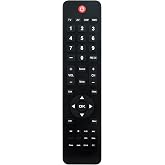
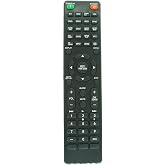
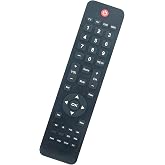
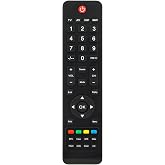
Redi Remote Control for NEC Multisync RU-M117, V461, V462, S401, P551, V551, P462, S461, V801, V422, P401, P521, V422, P402, V552, V651, P701, S401, V463, V423, V323, S521
This remote control is specifically designed to be compatible with various NEC MULTISYNC models.
Redi Remote Control for NEC Multisync RU-M117, V461, V462, S401, P551, V551, P462, S461, V801, V422, P401, P521, V422, P402, V552, V651, P701, S401, V463, V423, V323, S521
제품번호 #: 58499491

Redi Remote Control for NEC Multisync RU-M117, V461, V462, S401, P551, V551, P462, S461, V801, V422, P401, P521, V422, P402, V552, V651, P701, S401,

제품번호 #: 58499491

KRW 84160

Price Details

Excluding Shipping & Custom charges ( Shipping and custom charges will be calculated on checkout )

*All items will import from 미국

0 ratings 리뷰 작성
재고
미국 USA 스토어에서 가져옴
지금 주문하시면 도착 예정일 수요일, 8월 19
Our Top Logistics Partners
  • fedex
  • dhl
This remote control is specifically designed to be compatible with various NEC MULTISYNC models.
U-Care 보증:
없음
요금제 선택
fast shipping

Fast
Shipping

free return

Free
Return*

secure packaging

Secure Packaging

100% original products

100% Original Products

pci-dss

PCI DSS Compliance

iso certified

ISO 27001 Certified


paypal payment
visa payment
mastercard payment
bank transfer payment
l. pay payment
culture voucher payment
cashbee payment
toss pay payment
kakao pay payment
lg pay payment
samsung pay payment
credit cards korea payment
happy money payment
teencash payment
t-money payment
book gift voucher payment
egg money payment
mobiamo payment
payco payment
Note: Step Down Voltage Transformer required for using electronics products of 미국 store (110-120). Recommended power converters 지금 구매.

What Stands Out

Broad Compatibility
Designed for multiple NEC Multisync models, the Redi Remote Control ensures seamless operation across various displays, addressing a common problem of compatibility that many users face.
User-Friendly Design
Crafted with an intuitive layout, the remote features clearly labeled buttons for easy navigation, enhancing user experience and efficiency compared to competing remotes that offer confusing controls.
Enhanced Durability
Built with high-quality materials, this remote is resistant to wear and tear, promising longevity and reliability, which adds significant value for buyers seeking a lasting solution for their display control needs.

제품 세부 정보

Shop Redi Remote Control for NEC Multisync RU-M117, V461, V462, S401, P551, V551, P462, S461, V801, V422, P401, P521, V422, P402, V552, V651, P701, S401, V463, V423, V323, S521 online at a best price in South Korea. B009D5MUP6
Additional FeaturesNo Programming Required
Maximum Number of Supported Devices1
Compatible DevicesMonitor
Connectivity TechnologyInfrared
Button Quantity58
Controller TypeInfrared
Maximum Range20 feet
Number of Batteries4 AAA batteries required.
Item Weight4.5 ounces (127.58 grams)
Item Dimensions L x W x H7.5"L x 2.25"W x 0.75"H (19.1 x 5.7 x 1.9 cm)
BrandRedi-Remote
Model NumberRTJ8200111
UPC791090901284
ManufacturerRedi-Remote
Mfr Part NumberRTJ8200111
Special FeatureNo Programming Required
Max Number of Supported Devices1

Who Should Buy?

Suitable For
  • Office Use

    Ideal for professionals needing reliable remote control for presentations, making it efficient for daily office tasks.

  • Educational Settings

    Perfect for teachers and instructors who require streamlined control over presentation displays in classrooms.

  • Event Management

    Great for event coordinators managing multiple displays, ensuring seamless transitions during presentations and performances.

Not Suitable For
  • Home Users

    Not ideal for casual home users who only need basic functionality from their TV or projector remotes.

제품 설명

Redi Remote Control for NEC Multisync RU-M117, V461, V462, S401, P551, V551, P462, S461, V801, V422, P401, P521, V422, P402, V552, V651, P701, S401, V463, V423, V323, S521

질문이 있으십니까? 채팅하기

고객 질문 및 답변

  • 의문: What devices are compatible with the Redi Remote Control?

    답변: The Redi Remote Control is designed to work seamlessly with a variety of NEC Multisync models, including RU-M117, V461, V462, S401, P551, V551, P462, S461, V801, V422, P401, P521, V422, P402, V552, V651, and P701. This extensive compatibility ensures that you can find a suitable remote for your NEC display. Whether you are managing multiple devices for professional presentations or simply controlling a home setup, having a dedicated remote like the Redi Remote enhances the user experience by allowing for easier navigation and control of your displays.
  • 의문: How do I program the Redi Remote Control for my NEC device?

    답변: Programming the Redi Remote Control is typically a straightforward process. First, insert the batteries into the remote. Then, point the remote at your NEC device and press the 'Power' button for a few seconds. The remote is designed to automatically sync with the device's frequency. If it doesn't connect, check the user manual for specific programming instructions tailored to your NEC model. This setup process allows you to efficiently manage presentations or multimedia experiences without extensive technical setup.
  • 의문: Is the Redi Remote Control user-friendly?

    답변: Yes, the Redi Remote Control is designed with a user-friendly interface that includes clearly labeled buttons for navigation and settings. Users of all ages and technical backgrounds will find it easy to operate. Additionally, the ergonomic design provides comfortable handling during use. Whether you are switching slides in a presentation or adjusting the volume for a video, this simplicity allows for intuitive control, making it an ideal choice for both personal and professional environments.
  • 의문: What type of batteries does the Redi Remote Control require?

    답변: The Redi Remote Control typically requires AA or AAA batteries, depending on the specific model you possess. It's essential to check the user manual or the battery compartment of your remote for confirmation. Using high-quality batteries ensures optimal performance and longevity. Having a spare set of batteries on hand can prevent interruptions during important presentations or events, maintaining a smooth flow without technical difficulties.
  • 의문: Does the Redi Remote Control come with a warranty?

    답변: Information regarding warranties or support services for the Redi Remote Control can often be found in the user manual or on the packaging. This ensures you understand the service terms provided by the manufacturer. Familiarizing yourself with the coverage helps you use the remote confidently, especially if issues arise in compatibility or functionality. Addressing potential concerns promptly ensures the remote's longevity and performance.
  • 의문: Can I use the Redi Remote Control with a projector?

    답변: The Redi Remote Control is primarily designed for NEC Multisync monitors, but certain models may also be compatible with NEC projectors. This versatility can enhance your multimedia presentations, allowing for seamless transitions between different devices. If you are planning to use it with a projector, check compatibility charts or specifications to confirm that it meets your requirements. This feature can facilitate smoother operations in professional or educational settings.
  • 의문: What should I do if my Redi Remote Control stops working?

    답변: If your Redi Remote Control stops working, the first step is to check the batteries; replace them if they are low or depleted. Next, ensure that you are within range and line of sight of the NEC device. If it's still unresponsive, reset the remote by removing the batteries and re-inserting them after a short pause. If problems persist, consult the troubleshooting section in the user manual or contact customer support for assistance. Maintaining your remote properly helps avoid interruptions during presentations.
  • 의문: Are there any specific maintenance tips for the Redi Remote Control?

    답변: To keep your Redi Remote Control in optimal working condition, regularly check and replace the batteries to avoid leakage. Clean the exterior with a soft, dry cloth to prevent dust and debris buildup. Avoid exposing the remote to extreme temperatures or moisture to prolong its lifespan. This maintenance can help you ensure consistent performance and reliable functionality, especially when utilizing the remote in professional settings.
  • 의문: Where can I buy the Redi Remote Control for NEC devices?

    답변: You can purchase the Redi Remote Control for NEC Multisync devices through Ubuy in South Korea. Ubuy offers a variety of electronics and accessories, ensuring you have access to reliable products. Their platform provides detailed product descriptions and customer reviews, making it easier to make an informed purchase. Shopping on Ubuy allows you to find what you need conveniently, catering to your NEC remote control requirements.
  • 의문: What is the return policy for the Redi Remote Control?

    답변: The return policy for the Redi Remote Control would depend on the seller's terms, which can usually be found on the website where it was purchased. It's important to read and understand the policy regarding returns or exchanges. Knowing this can provide peace of mind in case the remote does not meet your expectations or requires replacement. Understanding these terms can aid in making a satisfactory purchase.

Redi-Remote Remote Controls RTJ8200111 Editorial Review

The Redi Remote Control for NEC Multisync series is a practical and efficient remote control replacement for several NEC models. The remote control is easy to set up and use, with clear and precise buttons that facilitate navigation. Additionally, it is a lightweight and durable product, ensuring a long-lasting lifespan. Although one customer mentioned that the remote did not work for their devices, it is important to note that the seller provided a full refund promptly, which shows excellent customer service. Overall, the Redi Remote Control is a reliable and cost-effective replacement option for NEC Multisync series users.

Customer Reviews & Ratings

1 고객 평가
  • 5 점
    100%
  • 4 점
    0%
  • 3 점
    0%
  • 2 점
    0%
  • 1 점
    0%

이 제품 리뷰하기

다른 고객들과 의견을 공유하세요.

장점

  • Easy to set up and use
  • Clear and precise buttons for navigation
  • Lightweight and durable
  • Cost-effective replacement option

단점

  • One customer reported the remote not functioning for their device

Platform Trust & Buyer Confidence

trustpilot logo
4.2/5 9250 + reviews
Read reviews
MA
Mohammad
Verified buyer

“Excellent quality and original too,when ubuy send original things I will appreciate that ,I very satisfied thank you”

23 July 2026 · via Trustpilot
CK
Chitra
Verified buyer

“The order and delivery progress was communicated very well. Package arrived within the estimated time. Products arrived as expected in good condition.”

22-Jul-26 · via Trustpilot
K
kund
Verified buyer

“Good supply of products. Safe payment methods, and shipment worldwide! Genuine products.”

23-Jul-26 · via Trustpilot
OO
Onesi
Verified buyer

“Was my first time buying a product from Ubuy, but I found it so helpful. This is reliable. Gonna place a new order!”

22 July 2026 · via Trustpilot
SJ
SAO JOHN
Verified buyer

“Ubuy is a great online platform to buy stuff. Reliable, fast delivery time and great value for money. I've been using Ubuy online shopping platform for three years now and will continue to do so.”

23 July 2026 · via Trustpilot
보안 결제 Global Delivery Easy Returns Genuine Products

Product Price History

중요 정보

  • 제한 사항: 국제 배송되는 제품의 경우 제조업체 보증이 유효하지 않을 수 있으며, 제조업체 서비스 옵션을 사용하지 못하거나 제품 설명서, 지침 및 안전 경고가 대상 국가 언어로 표시되지 않을 수 있으며, 제품(및 첨부 자료)은 도착 국가 표준, 사양 및 라벨링 요구 사항에 따라 설계되지 않을 수 있으며, 제품은 목적지 국가 전압 및 기타 전기 표준을 준수하지 않을 수 있습니다(가능한 경우 어댑터 또는 변환기 사용 필요). 수령인은 제품을 도착 국가로 합법적으로 수입할 수 있는지 확인할 책임이 있습니다. Ubuy 또는 그 제휴사에서 주문할 때, 수령인은 기록 수입자로서 도착 국가의 모든 법률과 규정을 준수해야 합니다.
  • Ubuy는 글로벌 검색 엔진이므로 Ubuy에 나열된 모든 제품이 판매용은 아닙니다. 제품은 수출/무역 규정을 따릅니다.