

제품번호 #:
227478053
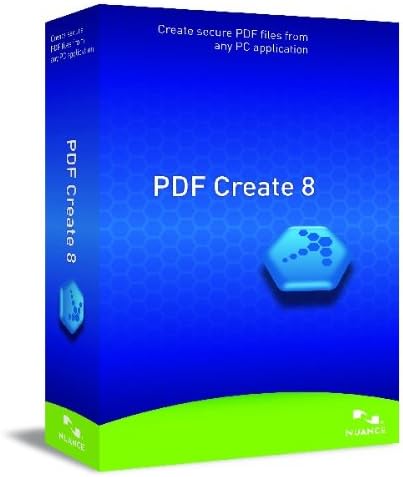
PDF Create 8.0, English
제품번호 #:
227478053
KRW 130398
Price Details
Excluding Shipping & Custom charges ( Shipping and custom charges will be calculated on checkout )
*All items will import from 미국
0 ratings
리뷰 작성
재고
 USA 스토어에서 가져옴
지금 주문하시면 도착 예정일 Monday, 8월 03
Secured transaction
Ubuy works hard to protect your security and privacy. Our advanced payment security system ensures confidentiality by encrypting your information during transmission using AES (Advanced Encryption Standards) and SSL (Secure Socket Layer) protocols. Your payment details are 100% secure as we do not share your payment details with third party sellers.
Our Top Logistics Partners


Create universally viewable PDF files up to three times faster than any other PDF software.

Fast
Shipping

Free
Return*

Secure Packaging

100% Original Products

PCI DSS Compliance

ISO 27001 Certified


Note: Step Down Voltage Transformer required for using electronics products of 미국 store (110-120). Recommended power converters 지금 구매.


What Stands Out
User-Friendly Interface
PDF Create 8.0 offers an intuitive layout that simplifies document creation, making it accessible for users of all skill levels, enhancing productivity without steep learning curves.
Comprehensive Conversion
This software supports a wide range of file formats for seamless conversion into PDFs, ensuring flexibility and convenience in document management for both personal and professional use.
Advanced Security Features
With robust security options, PDF Create 8.0 protects sensitive information through password protection and encryption, helping users maintain confidentiality and comply with data protection regulations.
제품 세부 정보
| Is Discontinued By Manufacturer | No |
| Product Dimensions | 5 x 1.5 x 7.5 inches (12.7 x 3.8 x 19.1 cm); 0.8 ounces (22.68 grams) |
| Item model number | M309A-G00-8.0 |
| Date First Available | May 20, 2012 |
| Manufacturer | Nuance Communications |
Who Should Buy?

-
Small Business Owners
Ideal for small business owners needing efficient document creation and management for invoices and reports.
-
Freelancers
Perfect for freelancers who frequently need to create professional-looking PDFs for client proposals and contracts.
-
Educators
Useful for educators looking to convert lessons and educational materials into accessible PDF formats for easy distribution.

-
Large Corporations
May lack advanced features needed for large corporate environments with complex document workflows and integrations.
-
Graphic Designers
Not suitable for graphic designers requiring robust design features beyond basic PDF creation capabilities.
-
Casual Users
Casual users may find it overly complex for simple tasks like reading or modifying existing PDFs.
제품 설명
PDF Create 8.0, English
질문이 있으십니까? 채팅하기
고객 질문 및 답변
-
의문:
What features does PDF Create 8.0 offer?
답변: PDF Create 8.0 includes powerful features such as the ability to convert various file formats into PDF, support for batch processing, and customizable PDF settings. This software provides users with tools for editing, merging, and securing PDFs, making it suitable for both personal and professional use. For instance, a small business can use it to compile several documents into a single PDF for client presentation. -
의문:
Is PDF Create 8.0 compatible with Mac and Windows?
답변: Yes, PDF Create 8.0 is designed to work on both Mac and Windows platforms. This compatibility ensures that users on either operating system can access all the features without facing any limitations. For example, a team using both Mac and Windows can seamlessly collaborate and share PDF documents without worrying about software conflicts. -
의문:
How can PDF Create 8.0 help in document management?
답변: PDF Create 8.0 aids in efficient document management by allowing users to organize and store multiple file types in a unified PDF format. You can categorize documents, add bookmarks, and create a searchable PDF index, which enhances accessibility and retrieval. For instance, an academic researcher can compile various research articles and notes into a single PDF for easier access and citation. -
의문:
Can I edit PDFs using PDF Create 8.0?
답변: While PDF Create 8.0 focuses primarily on converting documents to PDF, it does offer basic editing capabilities such as adding annotations and comments. For more advanced editing needs, users may consider using additional software like PDF editors. This is particularly useful for professionals who need to provide feedback on documents prior to finalization. -
의문:
What file formats can I convert to PDF using PDF Create 8.0?
답변: PDF Create 8.0 supports a variety of file formats for conversion, including Microsoft Word, Excel, PowerPoint, and images like JPEG and PNG. This flexibility allows users to consolidate different types of content into a singular PDF file. For example, a marketing team can convert presentations, spreadsheets, and visual content into one cohesive document for a client report. -
의문:
Is there a trial version available for PDF Create 8.0?
답변: Yes, PDF Create 8.0 typically offers a trial version that allows users to explore its features before making a purchase. This approach enables potential buyers to assess functionality and usability, ensuring it meets their requirements. For someone considering the software, the trial can provide insights into suited features for their specific document needs. -
의문:
How secure is PDF Create 8.0 for handling sensitive documents?
답변: PDF Create 8.0 includes security options such as password protection and encryption to safeguard sensitive documents. Users can restrict access to files and ensure that confidential information remains protected from unauthorized viewing. This is especially critical for professionals dealing with financial records or client data, who need to maintain strict privacy compliance. -
의문:
Can PDF Create 8.0 handle batch conversions?
답변: Absolutely, PDF Create 8.0 supports batch conversions, allowing users to convert multiple files into PDF format simultaneously. This feature saves time and increases productivity, especially for businesses processing a large volume of documents. For instance, a legal firm can convert dozens of client contracts into PDFs in one go, streamlining their workflow. -
의문:
How do I install PDF Create 8.0?
답변: Installing PDF Create 8.0 is straightforward. After downloading the setup file, simply run the installer and follow the on-screen instructions to complete the installation. Once installed, users can easily launch the application from their desktop or applications folder, making it accessible for immediate use in document management tasks. -
의문:
Where can I buy PDF Create 8.0?
답변: You can purchase PDF Create 8.0 from Ubuy in South Korea. Ubuy is a reliable online platform that offers a wide range of software applications, including PDF Create 8.0, ensuring a smooth purchasing experience.
Nuance Document Management M309A-G00-8.0 Editorial Review
Nuance PDF Create 8.0 presents itself as a cost-effective alternative to Adobe PDF, garnering praise from users for its functionality and value. Many customers appreciate its capability to seamlessly create and manipulate PDF files compatible with various PDF programs, making it a versatile option for users who require basic PDF creation and combination features. Reviewers acknowledge that while the software may not boast the extensive features of pricier competitors, it covers essential needs without breaking the bank, thus labeling it a "bargain" or "best value for the money". However, this product is not without its challenges. Some users have encountered difficulties during installation, which in some instances required workarounds that detracted from the overall user experience. Additionally, the software's operation can be somewhat cumbersome; creating multiple individual PDF files involves a labor-intensive process requiring numerous keystrokes, which may discourage those looking for a more streamlined experience. Critics also expressed frustration when encountering technical issues that hindered their ability to effectively use the program, leading to disappointment and, in some cases, the possibility of returns. Despite its drawbacks, Nuance PDF Create 8.0 meets the needs of many users seeking a basic PDF tool, particularly for personal or less intensive use cases. For those prioritizing cost and essential functionality, it stands as a commendable choice. **
Customer Reviews & Ratings
1 고객 평가
-
5 점
100%
-
4 점
0%
-
3 점
0%
-
2 점
0%
-
1 점
0%
이 제품 리뷰하기
다른 고객들과 의견을 공유하세요.
장점
- Cost-effective alternative to Adobe PDF
- Compatible with various PDF programs
- Ability to combine multiple PDF files easily
- Adequate for basic PDF creation needs
단점
- Installation difficulties reported by some users
Platform Trust & Buyer Confidence

MT
Mohd
Verified buyer
“The product received very good packaging & safe…Thank You”
16 June 2026 · via Trustpilot
SJ
Shawati
Verified buyer
“Accurate delivery timing given”
16 June 2026 · via Trustpilot
YB
Youcef
Verified buyer
“Not madly expensive like I thought, and much quicker than promised.”
15 June 2026 · via Trustpilot
LM
Leila
Verified buyer
“Never dealt with Ubuy before, but everything worked out great. Seamless cross border purchasing and shipping. Thanks!”
6/7/2026 · via Trustpilot
KA
Kwame
Verified buyer
“The process was smooth, with clear communication and timelines. This was my 1st purchase and I am really impressed. I will definitely be coming back.”
12 June 2026 · via Trustpilot
보안 결제
Global Delivery
Easy Returns
Genuine Products
Product Price History
중요 정보
- 제한 사항: 국제 배송되는 제품의 경우 제조업체 보증이 유효하지 않을 수 있으며, 제조업체 서비스 옵션을 사용하지 못하거나 제품 설명서, 지침 및 안전 경고가 대상 국가 언어로 표시되지 않을 수 있으며, 제품(및 첨부 자료)은 도착 국가 표준, 사양 및 라벨링 요구 사항에 따라 설계되지 않을 수 있으며, 제품은 목적지 국가 전압 및 기타 전기 표준을 준수하지 않을 수 있습니다(가능한 경우 어댑터 또는 변환기 사용 필요). 수령인은 제품을 도착 국가로 합법적으로 수입할 수 있는지 확인할 책임이 있습니다. Ubuy 또는 그 제휴사에서 주문할 때, 수령인은 기록 수입자로서 도착 국가의 모든 법률과 규정을 준수해야 합니다.
- Ubuy는 글로벌 검색 엔진이므로 Ubuy에 나열된 모든 제품이 판매용은 아닙니다. 제품은 수출/무역 규정을 따릅니다.
KRW 130398
지금 주문하시면 도착 예정일 Monday, 8월 03
This item is not restrict in my country.(Please click on above link if this item is not restrict in your country, So our team will review and allow.)
QTY:
Secured transaction
PCI DSS compliant and ISO 27001:2022 certified, with encrypted payments and full buyer protection on every order.
Our Top Logistics Partners
Fastest cross-border delivery
특징 및 장점
- Turns files into secure PDFs quickly and efficiently.
- Compatible with virtually any PDF viewer for easy sharing.
- One-click PDF creation from within Microsoft Office applications.
- Batch create PDFs and merge multiple files effortlessly.
- Connect to popular cloud services for document accessibility.
- User-friendly interface designed for maximum productivity.
Ubuy Assurance
Experience worry-free shopping with 100% original products, PCI DSS-compliant payment security, ISO 27001-certified data protection, the fastest cross-border delivery, free returns *, and secure packaging on every order.