0 ratings


제품번호 #:
261558728
Visual Studio Code User Guide for Beginners: A Practical Guide to Installing, Customizing, Debugging, and Coding with Vi, (Paperback)
제품번호 #:
261558728
KRW 65726
Price Details
Excluding Shipping & Custom charges ( Shipping and custom charges will be calculated on checkout )
*All items will import from 미국
0 ratings
리뷰 작성
재고
 USA 스토어에서 가져옴
QTY:
제품 재고가 99개 뿐입니다.
지금 주문하시면 도착 예정일 금요일, 10월 23
Secured transaction
Ubuy works hard to protect your security and privacy. Our advanced payment security system ensures confidentiality by encrypting your information during transmission using AES (Advanced Encryption Standards) and SSL (Secure Socket Layer) protocols. Your payment details are 100% secure as we do not share your payment details with third party sellers.
Our Top Logistics Partners


Fast
Shipping

Free
Return*

Secure Packaging

100% Original Products

PCI DSS Compliance

ISO 27001 Certified



















Note: Step Down Voltage Transformer required for using electronics products of 미국 store (110-120). Recommended power converters 지금 구매.


제품 세부 정보
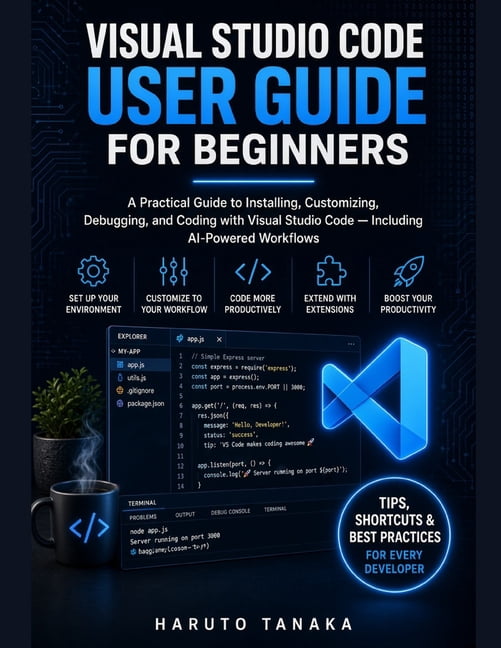
- What if you could open Visual Studio Code for the first time and actually know where to begin?Whether you're completely new to Visual Studio Code or you've already started using it but feel overwhelmed by its many features, Visual Studio Code User Guide for Beginners is designed to help you move from uncertainty to confident, productive coding. Visual Studio Code is more than just a code editor. With its powerful extensions, integrated terminal, debugging tools, source control, customizable interface, remote development capabilities, and AI-powered features, it provides a complete environment for modern software development. But knowing where to find these tools-and how to use them effectively-can be challenging for beginners.This practical guide breaks everything down into clear, manageable steps so you can learn Visual Studio Code without unnecessary complexity. Inside this book, you'll learn how to: - Install Visual Studio Code and understand the initial setup- Navigate the interface and understand the Editor, Explorer, Activity Bar, Panel, and Status Bar- Create and manage projects and workspaces- Use the Command Palette and keyboard shortcuts efficiently- Take advantage of IntelliSense and multi-cursor editing- Customize settings, themes, shortcuts, and your development environment- Discover, install, configure, and manage extensions- Set up Python, JavaScript, TypeScript, Java, and C# projects correctly from the start- Run and debug programs with breakpoints, variables, and call stacks- Connect to remote machines using Remote SSH- Understand inline AI-powered code suggestions and Copilot Chat workflows- Use Code Actions and other productivity features- Monitor extensions and troubleshoot extension-related problems with Extension Bisect- Develop practical workflows that make everyday coding more organized and efficient Rather than simply giving you a list of features to memorize, this book focuses on how the different parts of Visual Studio Code fit together and when to use them.Whether you're learning programming, building your first project, working with Python, JavaScript, Java, or another language, or simply looking for a practical reference you can return to, this guide provides a beginner-friendly path through the Visual Studio Code environment. Open Visual Studio Code with confidence, understand the tools in front of you, and build a workflow that works for you.
| Book format | Paperback |
| Fiction/nonfiction | Non-Fiction |
| Genre | Computing & Internet |
| Publication date | September, 2026 |
| Pages | 116 |
| Subgenre | Languages |
| Series title | No Series |
| Edition | 1 |
| Publisher | Amazon Digital Services LLC - Kdp |
| Original languages | English |
| Language | English |
| Educational level | General |
| Is collectible | N |
| Recording time | 0 min |
| Retail packaging | Single Piece |
| Assembled product dimensions (l x w x h) | 8.50 x 0.24 x 11.00 in (21.6 x 0.6 x 27.9 cm) |
| Assembled product weight | 0.63 lb (290 grams) |
| Bisac subject heading | Computers |
제품 설명
Visual Studio Code User Guide for Beginners: A Practical Guide to Installing, Customizing, Debugging, and Coding with Vi, (Paperback)
질문이 있으십니까? 채팅하기
고객 질문 및 답변
-
의문:
Ubuy에서 온라인으로 Visual Studio Code User Guide for Beginners: A 쇼핑하는 방법?
답변: Ubuy에서 온라인으로 Visual Studio Code User Guide for Beginners: A을(를) 쉽게 쇼핑할 수 있습니다.. 제품을 검색하고 체크아웃하는 동안 배송 방법을 선택하고 해당 위치로 배송받기만 하면 됩니다. -
의문:
Visual Studio Code User Guide for Beginners: A는 South Korea에서 온라인 쇼핑이 가능합니까?
답변: 예, Ubuy South Korea에서 이 제품을 합리적인 가격에 구매할 수 있습니다.. Visual Studio Code User Guide for Beginners: A은(는) 현지에서 구할 수 없지만 특급 배송 서비스로 저희를 신뢰할 수 있습니다. -
의문:
주문 후 제품을 받는 데 얼마나 걸립니까?
답변: 주문한 제품의 배송 시간은 주문한 항목과 선택한 배송 방법에 따라 다릅니다.. 예상 배송 시간은 결제 과정에서 언급되므로 안심하고 쇼핑하십시오.
Haruto Tanaka All Books Editorial Review
편집 리뷰가 없습니다.
Customer Reviews & Ratings
1 고객 평가
-
5 점
100%
-
4 점
0%
-
3 점
0%
-
2 점
0%
-
1 점
0%
이 제품 리뷰하기
다른 고객들과 의견을 공유하세요.
Product Price History
중요 정보
- 제한 사항: 국제 배송되는 제품의 경우 제조업체 보증이 유효하지 않을 수 있으며, 제조업체 서비스 옵션을 사용하지 못하거나 제품 설명서, 지침 및 안전 경고가 대상 국가 언어로 표시되지 않을 수 있으며, 제품(및 첨부 자료)은 도착 국가 표준, 사양 및 라벨링 요구 사항에 따라 설계되지 않을 수 있으며, 제품은 목적지 국가 전압 및 기타 전기 표준을 준수하지 않을 수 있습니다(가능한 경우 어댑터 또는 변환기 사용 필요). 수령인은 제품을 도착 국가로 합법적으로 수입할 수 있는지 확인할 책임이 있습니다. Ubuy 또는 그 제휴사에서 주문할 때, 수령인은 기록 수입자로서 도착 국가의 모든 법률과 규정을 준수해야 합니다.
- Ubuy는 글로벌 검색 엔진이므로 Ubuy에 나열된 모든 제품이 판매용은 아닙니다. 제품은 수출/무역 규정을 따릅니다.
KRW 65726
지금 주문하시면 도착 예정일 금요일, 10월 23
This item is not restrict in my country.(Please click on above link if this item is not restrict in your country, So our team will review and allow.)
QTY:
제품 재고가 99개 뿐입니다.
Secured transaction
PCI DSS compliant and ISO 27001:2022 certified, with encrypted payments and full buyer protection on every order.
Our Top Logistics Partners
Fastest cross-border delivery
Ubuy Assurance
Experience worry-free shopping with 100% original products, PCI DSS-compliant payment security, ISO 27001-certified data protection, the fastest cross-border delivery, free returns *, and secure packaging on every order.